How to prepare a technical drawing for manufacturing
A technical drawing is the universal language of manufacturing — it tells the machinist exactly what a 3D model or DXF cannot. We explain what belongs in the title block, how to choose views and projection, how to dimension, specify tolerances, and where mistakes most often happen.
A technical drawing is the universal language of manufacturing. A 3D model or a DXF tells the machine the geometry, but the drawing tells a person the intent — which dimension is critical, how smooth a surface must be, what the part is made of, and how precise it has to be. Even in a fully digital workflow, a clear 2D drawing is still what removes guesswork and prevents expensive misunderstandings.
When you need a technical drawing
For a simple flat part cut from sheet, a clean DXF on its own is often enough. The moment a part carries information that pure geometry cannot express, it needs a drawing alongside the model:
- a dimension is critical and needs a tolerance
- a hole must be threaded, reamed or countersunk
- the part is bent and the direction or angle matters
- a surface needs a defined finish or coating
- the part is welded or assembled from several pieces
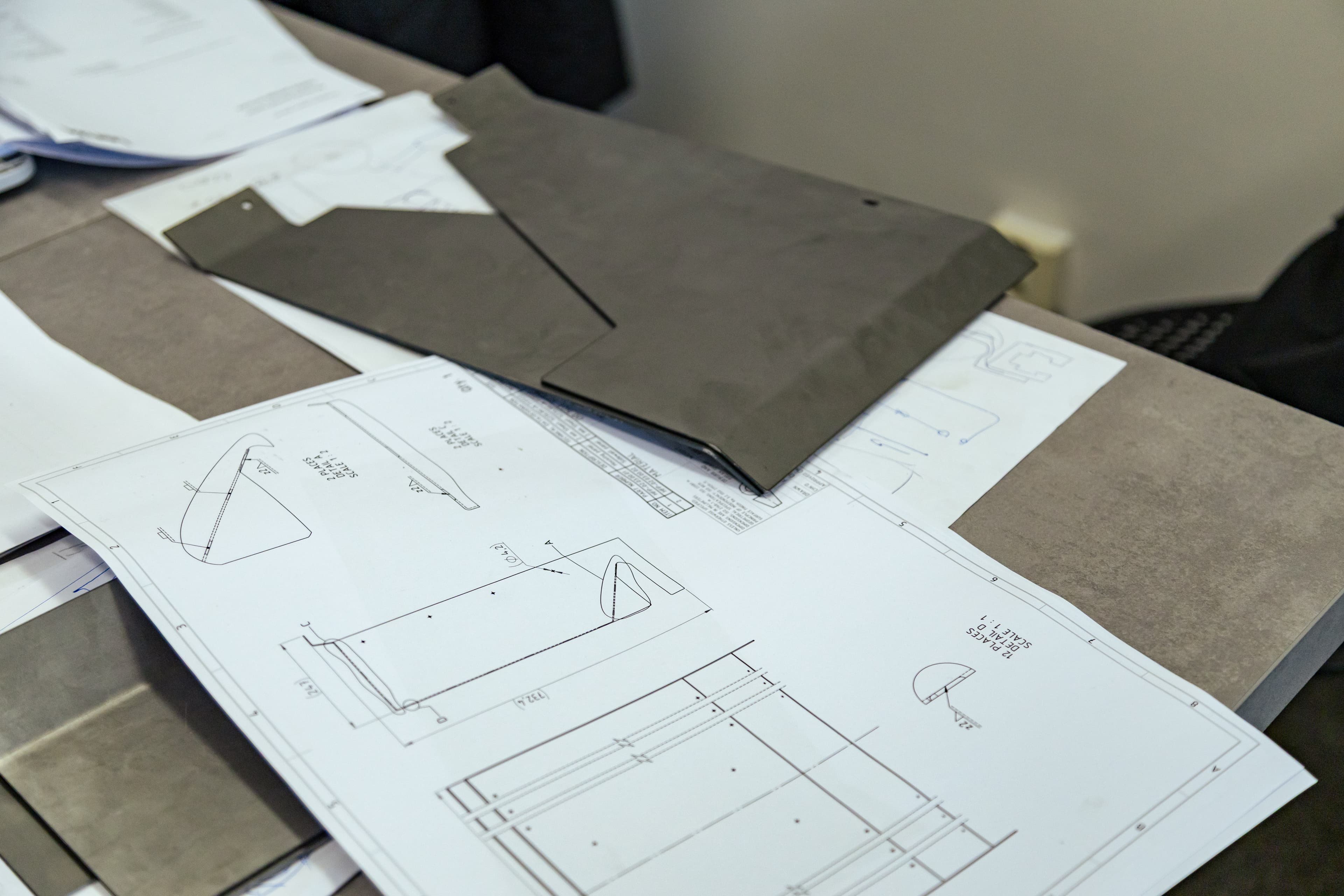
The drawing does not replace the DXF or STEP file — it accompanies it, as a PDF, and resolves everything the model leaves open.
Sheet size, scale and units
Draw on a standard ISO sheet (A4, A3, A2…) so the document prints and files predictably. Keep the part at a real scale and state it in the title block — 1:1 wherever it fits, 1:2 or 1:5 for large parts, 2:1 or 5:1 for small detail. Whatever the scale, the dimensions written on the drawing are always the real values, never the scaled ones. Work in millimetres and state the unit once; mixing units is one of the most common and most expensive mistakes.
Views and projection
Most parts are described by orthographic views — a front, a top and a side view, each looking at the part straight on. Choose the front view that shows the part most clearly, then add only the views you actually need: a flat bracket may need just one, a machined block may need three plus a section.
How those views are arranged depends on the projection method, and this matters across borders. Europe uses first-angle projection (the top view sits below the front view); North America uses third-angle projection (the top view sits above). The two are mirror layouts of the same part, so a drawing read in the wrong convention is wrong everywhere. Always place the projection symbol in the title block so there is no ambiguity.
Section and detail views
When internal features — bores, pockets, counterbores — cannot be shown with hidden lines alone, cut the part with a section view and hatch the solid material. For small or crowded features, add a detail view: a circled area redrawn at a larger scale. Both keep the drawing readable instead of overloading a single view with overlapping hidden lines.
Dimensioning
Dimension the part so it can be made and inspected without anyone having to calculate a missing value. A few rules carry most of the weight:
- dimension from a single reference edge (a datum), not in a chain, so tolerances do not stack up
- give every feature one — and only one — defining dimension; never dimension the same thing twice
- place dimensions outside the view, on the side where the feature is clearest
- group related dimensions together and keep extension lines from crossing
- dimension holes by diameter (Ø) and give their position from the datum
Tolerances and fits
No part is made perfectly to size, so the drawing must say how much deviation is acceptable. Cover the bulk of the part with a general tolerance note — most shops reference ISO 2768 (classes f, m, c, v from fine to coarse), so a single line such as ISO 2768-m governs every unmarked dimension. Then call out a tighter tolerance only on the few features that truly need one, for example a bore that takes a bearing. For mating parts, a fit from the ISO 286 system (such as H7/g6) defines the hole and shaft together. For shape and position — flatness, perpendicularity, true position of a hole pattern — use geometric tolerances (GD&T, per ISO 1101 / ASME Y14.5); they control a feature far more precisely than a plain ± value can.
Surface finish and treatment
If a surface has to be a particular smoothness, state it with a surface-finish symbol and a roughness value (for example Ra 1.6). Without a callout, the shop delivers the finish the process naturally produces, which may be rougher than you expect. Specify any coating or treatment — powder coating, anodising, galvanising, passivation — as a note, and say clearly whether stated dimensions apply before or after that coating, since plating adds thickness.
Title block
The title block in the bottom-right corner is the identity card of the drawing. At a glance it tells the shop what the part is and how to read the sheet. Include at least:
- part name and a unique drawing number
- material and, for sheet parts, thickness
- scale and units
- general tolerance reference (e.g. ISO 2768-m)
- projection symbol (first or third angle)
- author, date and a revision number
Line types
Drawings use a small, standardised set of line styles (ISO 128), and using them correctly is half of readability:
- thick continuous — visible edges and outlines
- thin continuous — dimension, extension and leader lines
- dashed — hidden edges behind the surface
- chain (dash-dot) — centrelines and axes of symmetry
Keep each on its own layer in CAD so the weights export correctly.
Notes for the shop
Anything the views and dimensions cannot carry goes into a notes block, usually above or beside the title block: deburring requirements, how to read undimensioned radii, which standard governs welds, part quantity, or a free-text instruction to the operator. Notes are read top to bottom, so put the most important first.
Most common mistakes
- missing or contradictory projection symbol, so views are read the wrong way round
- the same feature dimensioned twice, leaving the shop to guess which one wins
- a tight tolerance on every dimension, which multiplies cost for no benefit
- holes shown but not specified (thread, countersink, ream)
- units or scale unstated, or dimensions that are scaled instead of real
- a coating noted but no word on whether sizes are before or after it
PDF and DXF together
The strongest package is the 2D drawing as a PDF and the cut geometry as a clean DXF (version R12/R14), delivered together. The DXF gives the machine the exact cut path; the drawing gives the person the intent, tolerances and finish. Send both — PDF and DXF — and quoting is faster, questions are fewer, and the part comes back the way you designed it.
Conclusion
A good technical drawing is not bureaucracy — it is the cheapest insurance you can buy against a part being made wrong. Spend the few extra minutes on the title block, the projection symbol and the handful of critical tolerances, and the rest of the process runs without surprises. If you are unsure how much detail your part needs, contact us before you order and we will tell you exactly what we need to see.